AI
You write the request in Turkish. ATA CAD connects to your own Claude account and runs the program commands on your screen.
How it works
AI is not built into the program. ATA CAD connects to your own Claude account. You write the request; the commands run on your screen, in front of your eyes.
Example prompt
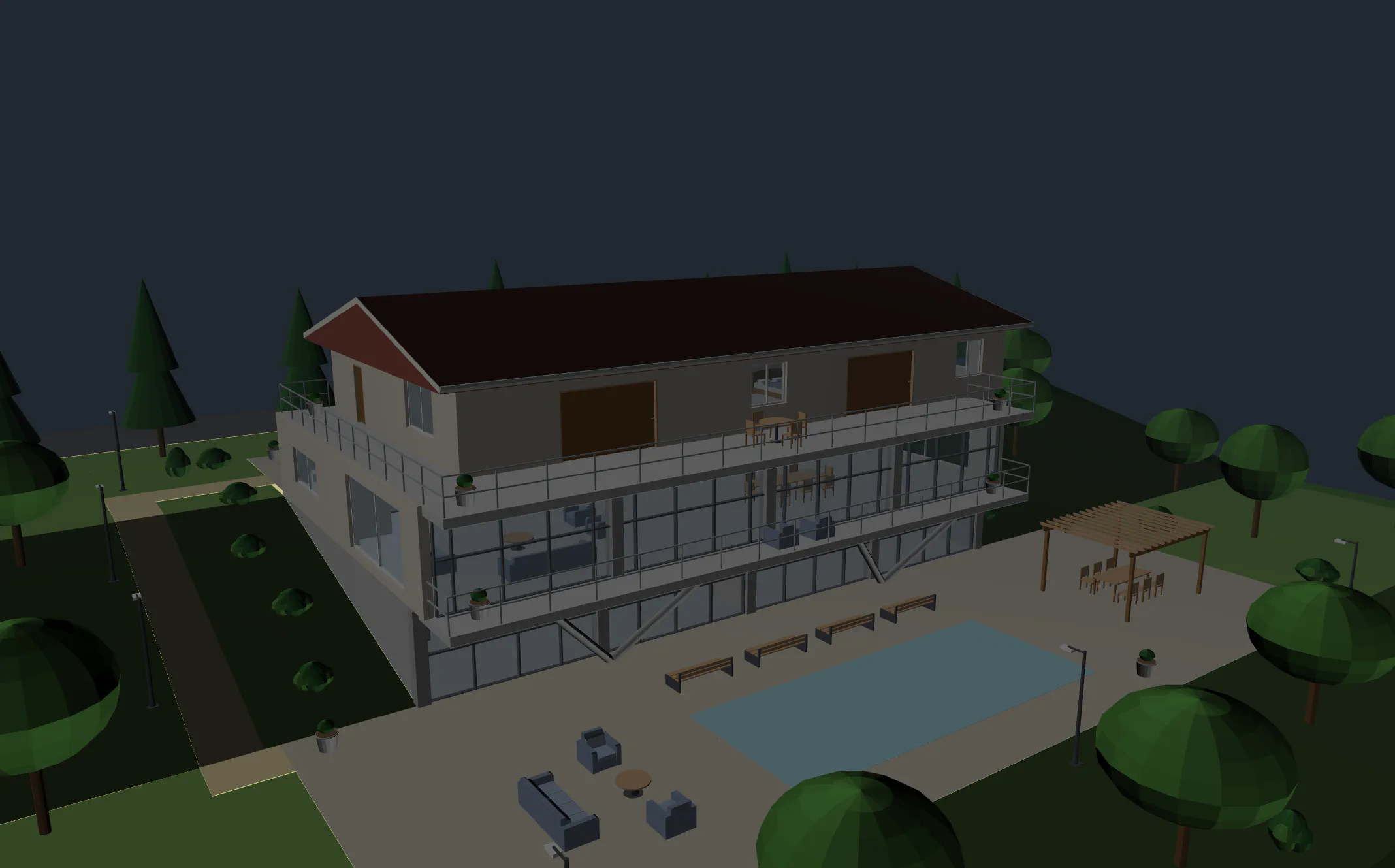
"Build a three-storey villa on the sloping parcel: the basement opens onto the pool terrace, the ground floor cantilevers to the south on V columns, the upper floor has a gable roof. Add the garage, the entrance court, the pool and the garden paths; furnish the rooms."
Three numbers
12prompts for two towers and landscape
1 h 30 minfrom the parcel to IFC
7prompts for road, network, building
Assurance
- Every action is visible on screen and can be undone in one step.
- You set the approval threshold.
- The actions taken are listed in plain language.
- ATA CAD charges nothing extra for AI; you use your own subscription.
What you can ask for
- TerrainYou can have the terrain surface built from a points file.
- RoadYou can have the alignment, sections and earthwork volumes built.
- NetworkYou can have the waste water line, its longitudinal profile and the trench volume built.
- BuildingYou can have the frame and services built from the parcel.
- LandscapeYou can have roads, car parks and green areas placed on the terrain.
- Compliance checkYou can have the model checked against a rule set.
- OutputYou can have IFC and the sheets produced.
Setup
The details of the connection are explained in the help document inside the program. In short, three steps:
- Use your own Claude subscription.
- Connect ATA CAD to your Claude account.
- Write your request in Turkish.
Plainly: what it does not do
- There is no AI built into the program; you need your own Claude subscription for the connection.
- The engineer checks everything the AI does.
Frequently asked questions
Is there a separate charge for AI?
No. ATA CAD charges nothing extra for AI; you use your own Claude subscription.
Where does my project stay?
Your project file stays on your own computer; it is not sent to a server. The data sent for licence verification is described in the privacy notice the program shows on first launch. For how what you type into the trial form is processed, see the privacy notice (KVKK).